Integrated suite for everyday office work
Microsoft Office bundles productivity tools for writing, numbers, and slide decks into one workflow that most teams already understand. With Templates and File format compatibility, it helps standardize deliverables so reports, trackers, and presentations stay consistent when they move between departments and client stakeholders.
Top Recommended Alternative
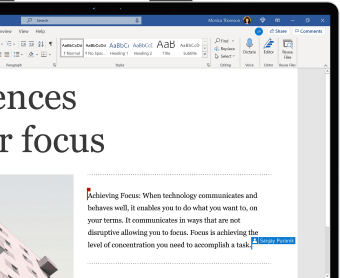
Microsoft Office also fits fast-turnaround work where edits come from many hands. Co-authoring and Version history make collaboration less chaotic, while Add-ins extend the suite for niche tasks without changing how files are shared across mixed setups. It stays a common baseline for organizations that need predictable output and fewer conversion surprises during reviews and approvals.
Keeping integrated workstreams moving smoothly
Microsoft Office is built around a simple loop: draft, review, refine, then ship the final file in a format others can open. That mechanic matters when a document feeds a spreadsheet, then turns into a slide deck for stakeholders on tight deadlines. It keeps handoffs predictable across teams, but it can feel heavy if the job is just quick notes or a one-page memo. Compared with Google Workspace, it leans more on desktop-style depth.
Work stays efficient when projects are split into parts that can be owned and checked. A report can be structured for feedback, a data model can be audited cell by cell, and a presentation can be updated without rebuilding the story. That control is a big win for compliance-heavy work and recurring reporting across quarters, but it also puts responsibility on the team to keep naming, folders, and sections clean.
Updates and feature improvements
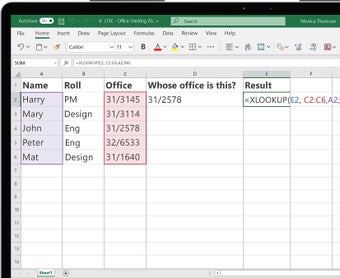
Recent Microsoft Office updates, particularly within Microsoft 365 builds released throughout the years, introduced several meaningful enhancements. Excel gained improved performance for large spreadsheets along with expanded Power Query capabilities and dynamic array functions. Word received AI powered writing suggestions, improved Editor tools, and enhanced PDF support. PowerPoint added Presenter Coach refinements and improved recording features for remote presentations. Microsoft also strengthened real-time collaboration reliability and introduced security updates addressing phishing protection and file safety.
Performance is generally steady when the workload is planned well, yet large media, long change histories, and complex formulas can slow saving, searching, and syncing under pressure. The best experience comes from using consistent structure, limiting unnecessary formatting, and keeping source data tidy before it reaches the final deliverable. When collaboration is informal, confusion can still happen, so clear ownership, review steps, and file hygiene matter for everyone.
Evolving Office with AI-driven assistance
Microsoft has been gradually expanding free AI features within Office apps such as Word, Excel, and PowerPoint, aiming to democratize productivity tools without requiring a separate Copilot subscription. These enhancements include Copilot Chat improvements that help users triage emails, schedule meetings, and tackle complex tasks across apps like Word and Excel using simple prompts—essentially turning everyday workflows into more guided, conversational interactions.
Agent Mode boosts productivity
Microsoft’s “Agent Mode,” initially introduced as part of Copilot, lets you generate or refine documents and spreadsheets simply by describing what you want. In Excel and Word, this means you can produce structured spreadsheets or draft professional-grade content from conversational prompts, saving time on repetitive setup and manual editing.
Enhanced in-app tools for drawing and annotation
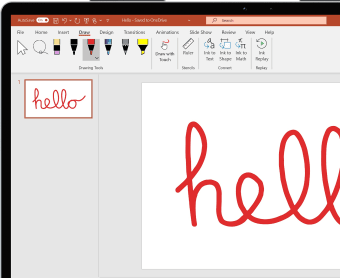
Recent Office updates added OneNote’s popular fountain pen and brush pen tools to Word, Excel, and PowerPoint, bringing richer inking capabilities directly into mainstream productivity workflows. These tools replicate natural strokes and allow for finer digital note-taking, highlighting, or annotation, bridging the gap between typed content and expressive sketches or markups.
Integration with Copilot ecosystem on Windows
Microsoft is enhancing its broader Copilot ecosystem on Windows, enabling direct creation and export of Word documents, Excel workbooks, PowerPoint presentations, and PDFs from a single chat interface. This integration streamlines the generation of Office files while supporting connectivity to services like Gmail and Outlook for richer data access—pointing toward a more seamless cross-application workflow.
A workplace standard
Microsoft Office remains a cornerstone of modern productivity by combining familiarity, deep functionality, and reliable collaboration tools into a unified workflow. Its strength lies in structured document creation and predictable compatibility across organizations. While powerful for professional environments and large projects, it can feel complex for lightweight tasks, requiring discipline in file management and collaboration practices to maintain efficiency across growing teams.