Microsoft Office for Windows: All-in-one productivity suite
Microsoft Office is the gold standard for software suites. Office 2021 debuted alongside Windows 11, bringing new features and a revamped interface. Microsoft Office for Windows is a powerful, customizable productivity suite focused on efficiency, collaboration, and offline access.
You can download Microsoft Office for Windows for free or get it as part of the Microsoft 365 subscription. A one-time purchase of the productivity suite's license gives you lifetime access to its tools and features—an excellent option for students, freelancers, and businesses. Office 2021 includes favorites like Word, Excel, PowerPoint, and Outlook and features new offerings such as Teams.
What's new in Microsoft Office for Windows?
Microsoft Office 2021 introduced many new features and enhancements to the popular productivity suite. It was released on the same day as Windows 11, and it is no surprise that Office 2021 wears a similar interface to Windows 11's, with rounded windows, a more neutral color palette, and an overall softer look. The interface wasn't the only update to Microsoft Office; here are some other significant updates:
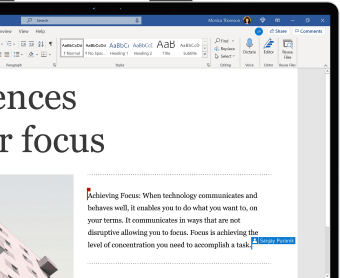
Real-time co-authoring: This new feature lets more than one person work on the same document simultaneously. It is available in Excel, Word, and PowerPoint, and you don't have to send multiple emails updating your documents, making it easier to work as a team.
Sheets views in Excel: This new feature lets you alter your view of an Excel spreadsheet without affecting how others view it. It is a helpful feature for teams collaborating on the same spreadsheet.
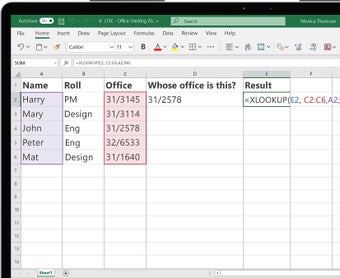
- XLOOKUP: XLOOKUP is a new function in Excel that works much like VLOOKUP and HLOOKUP but in any direction. This makes it more powerful and versatile, letting you find anything in a table or range.
- Dynamic arrays: These are also new to Excel and add new formulas like UNIQUE, FILTER, and SORT, which lets a single formula yield a variety of results across multiple cells, letting you manage large datasets more effectively.
- Dark mode: The new Office suite now offers dark mode, making reading and editing your documents less stressful to the eyes.
- Save as SVG: You can now save graphics and images in SVG format and resize your images without affecting their quality.
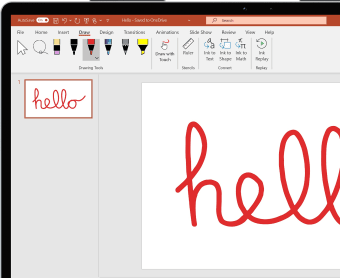
- Record slideshow: This new PowerPoint feature supports presenter video recording, ink recording, and laser pointer recording.
Microsoft Office for Windows user interface
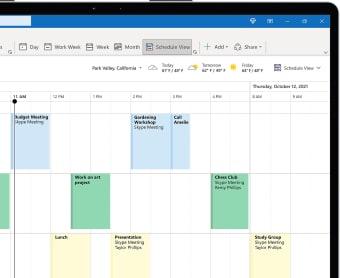
Microsoft Office 2021 has updated its interface to align with the Windows 11 look and feel. The suite features a more straightforward layout than previous versions, with more rounded windows, a neutral color scheme, and an overall softer look. Microsoft Office for Windows offers enhanced customization features, including dark mode support and updated Ribbons. The suite now provides an all-in-one experience, with a new design for tabs that easily incorporates additional tools. It's also simpler to set up meetings and check your schedule. Expect a minimalistic and user-friendly layout in the revamped Microsoft Office for Windows, making it easier than ever to navigate and use.
Microsoft Office for Windows is now part of Microsoft 365
Microsoft Office for Windows is now part of Microsoft 365. You can download Microsoft Office for Windows for free or access it as a Microsoft 365 subscription. The main difference between the two suites is that you'll pay a one-time license fee for Office, while Microsoft 365 requires a regular subscription fee. You'll get all the Office staples you've come to love in the cloud-based Microsoft 365 suite and collaboration tools like SharePoint and OneDrive. Microsoft Office is the cheaper option, but its feature set will remain current until the next office suite is released, while Microsoft 365 keeps everything updated.
Microsoft Office 2021 versions
Microsoft Office is designed to cater to all users, from students and solo freelancers to large businesses. To achieve this goal, Office 2021 is available in several versions, each designed for different types of users:
- Office Home and Student: This suite is developed for families and students who need essential tools for home and school use. It offers Office staples like Word, PowerPoint, Excel, and OneNote.
- Office Home and Business: This suite adds Outlook to the Home and Student edition. It is developed for businesses that need email and calendar tools and basic Office applications.
- Office Professional: This suite is not available on smartphones; it is only available on PCs. It adds Publisher and Access to the Home and Business editions and is an excellent publishing and database management suite.
- Office Professional Plus: This is the most complete Office edition, and it adds Microsoft Teams to the features offered by the Professional edition. It is only available for PCs, too.
Microsoft Office for Windows: System requirements
Microsoft Office for Windows will run on Windows 10 or later versions. The minimum system requirements for running Microsoft Office are:
Processor: 1.1 GHz or faster
RAM: 4 GB
Storage: 4 GB available
Display: 1280 x 768
Why download Microsoft Office for Windows
- Updated user interface
- Enhanced collaboration
- Dark mode support
- All-in-one experience
- Microsoft Teams integration
- Cloud-based working
- One-time payment
- New features