
How To
How to Find Your Microsoft Office Product Key

- June 18, 2021
- Updated: July 2, 2025 at 4:03 AM
Your Microsoft Office Product Key is a series of 25 letters and numbers that must be entered when software is activated on your devices. This Key certifies that the software is an original copy and has not been pirated from another source. If your PC or laptop came with Office pre-installed on it, then before following this entire procedure, search the case at the back or the sides to find the sticker that contains the Key.
In the Microsoft world, if you have Office 365, you will not have a Product Key as your ownership of the software is managed online through the Microsoft website. Losing the Product Key means that you cannot activate and use your Microsoft Office products, so you must find the Key. Fortunately, uncovering your Key is a straightforward procedure.
Go to the Microsoft Website

Go to the Microsoft website and sign in to your account by clicking on the figure in the top right-hand corner of the screen.
Go to Services and Subscriptions
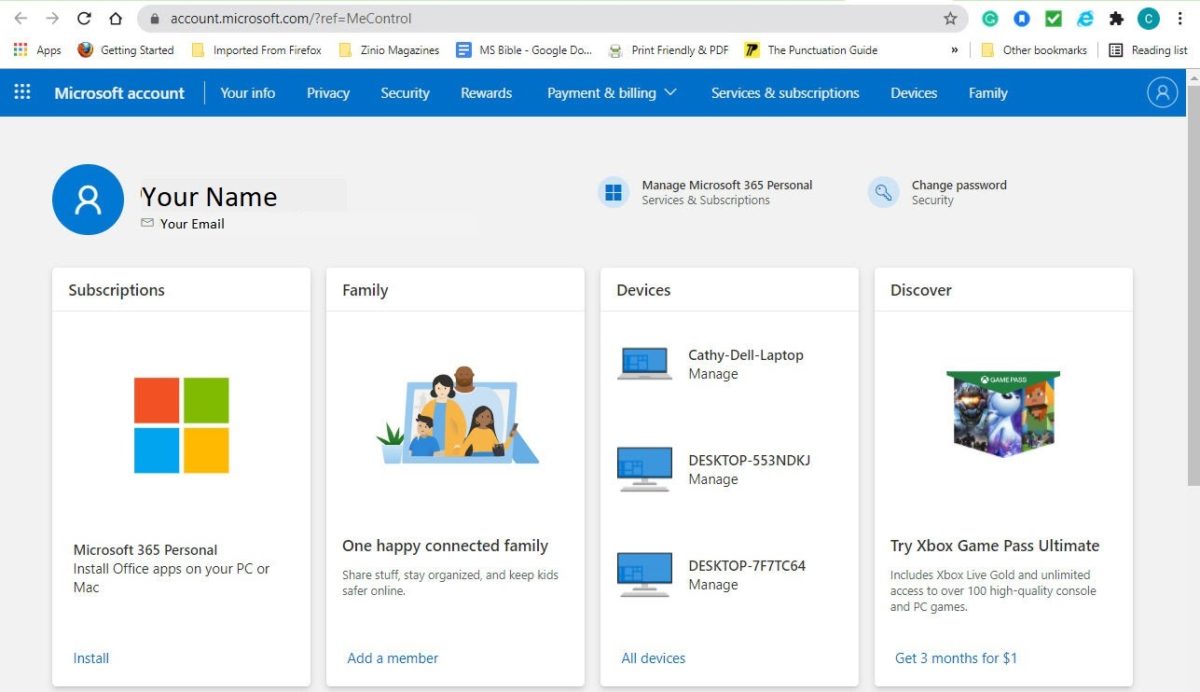
Click on Services and Subscriptions in the blue menu at the top of the screen.
Scroll to find the Key
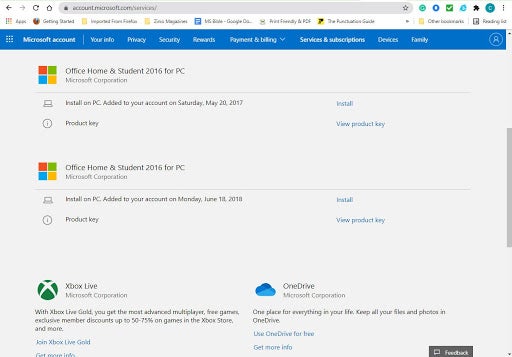
Scroll down the screen until you find the Product Key that you need. Once you find the line you are looking for, click on View Product Key.
Copy the Key to transfer to your new installation
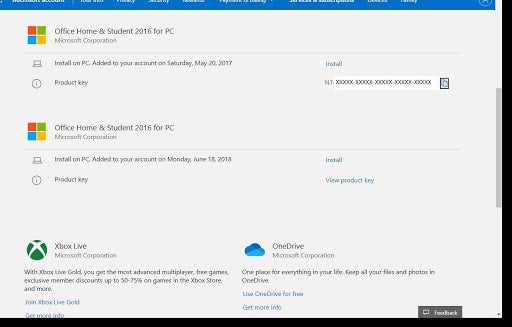
When you click on View Product Key, the 25 character key will be revealed. Clicking on the small icon to the right of the Product Key will copy the Key to the clipboard so you can quickly transfer it to your new installation.
Don’t lose your key
There are several software options that you can use that will find your Product Key by searching the registry of your machine. This will hold true for any old Microsoft Office installation. From Microsoft Office 2013, Microsoft changed how the product key was stored in the registry, and they only kept the last five digits.
This means that any key finder program you use will not find the entire Key, and if it returns 25 characters, the first 20 digits are likely to be a generic code.
The last five digits may give you enough data to search through your old emails to see if you can find the original Microsoft email containing the full product key.
If all of this fails, your only option is to do a full factory reset (providing you have the necessary software recovery partition) or purchase a new copy of Microsoft Office.
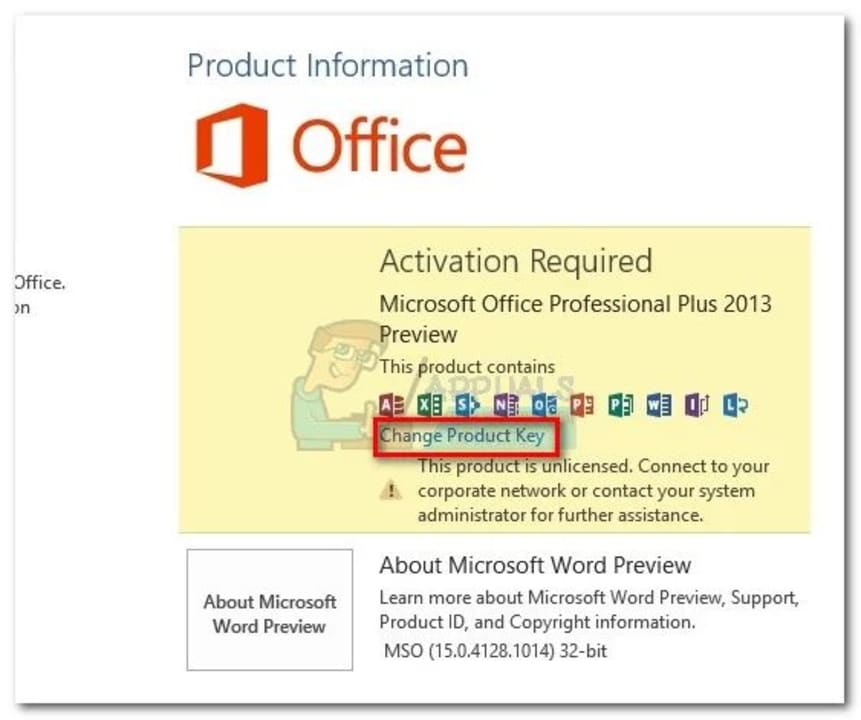
Transfer Your Microsoft Office License
READ MORELatest from Shaun M Jooste
You may also like
 News
NewsThe new Fable has specialists making the cutscenes: Blizzard Entertainment
Read more
 News
NewsThe mayor of New York, Zohran Mamdani, has explained US policy in a way that everyone can understand: with Mario Kart
Read more
 News
NewsEven a dachshund can play LOL, as long as it's with a magical cat
Read more
 News
NewsThe creators of Stranger Things are leaving Netflix to head to its most direct competitor
Read more
 News
NewsXenosaga arrives on PC for the first time in 24 years, but not in the way you would want
Read more
 News
NewsAvengers: Doomsday presents a new trailer, but only for a few privileged ones
Read more